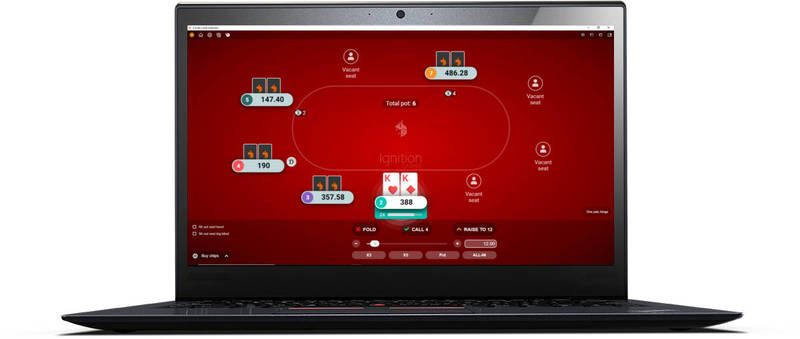
Poker Odds Calculator
No longer available. Use PokerStove instead.
How to use the poker odds calculator.
1] Choose Player 1's and Player 2's holecards by clicking the card choices in the bottom section. The cards will be input into the calculator from left to right, so your first two choices will be Player 1's cards, and your second two choices will be player 2's cards.
2] The suit of the cards can be changed via the small box in the bottom left-hand corner of the Texas Holdem odds calculator.
3] If you do not want to see the pre-flop odds, you can choose another 3 flop cards to see the probabilities of Player 1's cards winning, drawing or losing against Player 2's cards by the time all community cards have been dealt after the flop has been seen.
4] Furthermore, you can see the probabilities of Player 1's cards winning, drawing or losing against Player 2's cards by the time all community cards have been dealt after the turn has be seen by selecting another card.
Poker odds calculator information.
The odds calculator can be used to simulate heads-up Texas Hold'em situations to find each hand's chance of winning before the flop, on the flop, and on the turn.
The values displayed in the bottom right-hand box display the hands' chance of winning, which can be useful in determining whether to call varying sizes of bets and raises. For information on how to use this information to your advantage, have a read over the pot odds article.
An amazing (and free) offline odds calculator.
Almost every regular online poker player I know uses PokerStove.
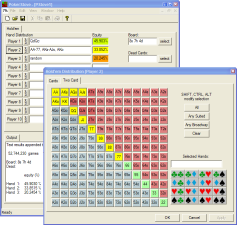
PokerStove is a simple and free little odds calculator program that you can download and install on your PC. It does the same sort of thing as the calculator at the top of this page, but PokerStove has more features and is far more flexible by allowing you to put hand ranges into the calculation. Every online poker player should have this handy little program on their computer.
Buy a more advanced calculator to help you whilst you play.
The odds calculator on this page and PokerStove are great for working out odds whilst you are off the tables, but they are not effective for when you are in the middle of a cash game or tournament.
Instead, have a think about buying one of the more advanced popular in-game odds calculators that give you the odds in each hand as well as advice on how to play as you go along. They are perfectly legal and can really help you build a solid game as you are starting out. Look in the poker software section for more details information.
Texas Calculatem.
 This is this most popular in-game odds calculator around. Texas Calculatem has been the most popular odds calculator software for beginner players for a great number of years now.
It does its job very well and is competitively priced. It's good value for money, and it is ideal for beginner Texas Hold'em players. There is also the option of getting the calculator for free by signing up to a poker room from their site.
Pokerbility.
 Pokerbility attaches to the side of the game window and gives the odds in each hand as you go along. It pretty much does the same job as the Texas Calculatem, but it's a little more expensive.
However, there are number of options on the site that allow you to get the calculator for free by signing up to one of the poker rooms from their site.
Which one is best?
I would go for the Texas Calculatem odds calculator. I find it easier to use and it is less expensive than the Pokerbility one. Pokerbility is very good, but I feel that Calculatem does a slightly better job at a better price.
Go back to the handy Texas Hold'em tools.