Poker Room Features
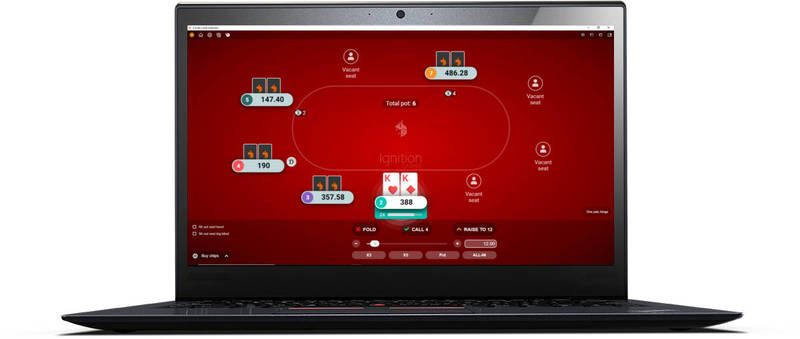
All poker rooms have different features built into their software to improve the playing experience for the competitors. Some rooms have features that are unique to the room's own software, but there are a number that are common to most rooms.
This article covers the in-game features at poker rooms. Look at the poker software article for information on the different software that can be used to help you improve your overall game.
Below is a list of what features you can expect to find at a poker room with a short description on each describing its main function. The features have also been rated on their utility (out of 5), as some prove to be more useful than others. The features below have been taken from those available on the Titan Poker software, but these are common to the majority of the current online poker rooms.
Note: If you're playing at a Flash or Java based poker site, some of these features may not be available.
Features.
- Avatars
- Chat Box
- Mini View
- Player Notes
- Four Colour Deck
- Multi-Table Ability
- Hand History
- View Hand Strength
Avatars - 2/5
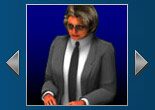 When you sit down at the poker table, the software of the poker room may assign you with a virtual player to help make your opponents aware of your presence.
Some poker rooms allow you to upload your own pictures to be displayed next to your online name, whereas other rooms will have a list of character avatars available for you to choose from. The avatars can be used to gain an impression of the other player's personality, and therefore what type of player they might be.
Chat Box - 3/5
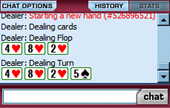
 The chat box is a handy feature that lets you communicate with the other players at the table. The chat box commentates on key points of the hand such as what cards are dealt on the flop and the final hand of the winner. On Titan, dealer chat is in red and player chat is in green to help stop confusion.
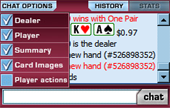
The chat box also offers a number of customizable options so that you can choose what you want to appear in the box.
- Dealer - Shows complete dealer commentary.
- Player - Shows chat between players at the table.
- Summary - Highlights the start, finish and winner of each hand.
- Card Images - Shows actual card images in the chat box instead of words.
- Player Actions - Shows the action each player has taken.
Mini View - 3/4
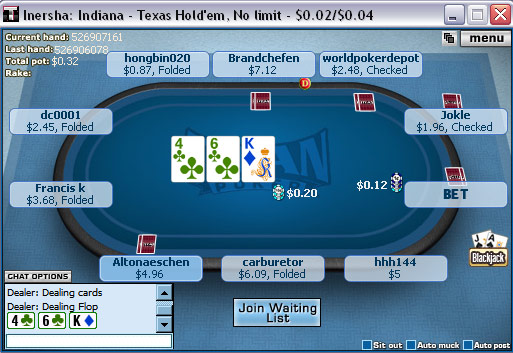 The mini-view feature allows you to multi table more efficiently, or comfortably use other programs without obscuring your view. The mini-view mode shrinks the table which takes up far less space on your screen.
The main difference on Titan is that the characters are taken away, and everything is compacted together a little more. The view is a little hard to adjust to at first, but after about 5 minutes of play you become accustomed to the smaller size.
Player Notes - 5/5
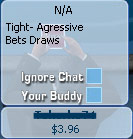 By clicking on the player name area you bring up the player notes section. This allows you to write short notes about each of the players. This is a particularly useful tool as you can take notes on the way each opponent plays, which will help you when deciding how to play against them in future hands.
The notes section on Titan also offers you the ability to block the player's chat from the chat box or highlight them as a friend. See taking player notes for more tips.
Always try and make useful notes on your opponents. It is one of the best ways to help you improve your overall winrate if you are a regular player.
Four Colour Deck - 4/5
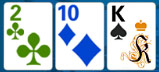 This feature will change the club cards to green and the diamond cards to blue. This will help in distinguishing between different suits so that you won't get caught out thinking you had a flush when you didn't.
Just remember to not become overly paranoid that another player has a flush when 3 of the same color appears on the board.
Multi-Table Ability - 5/5
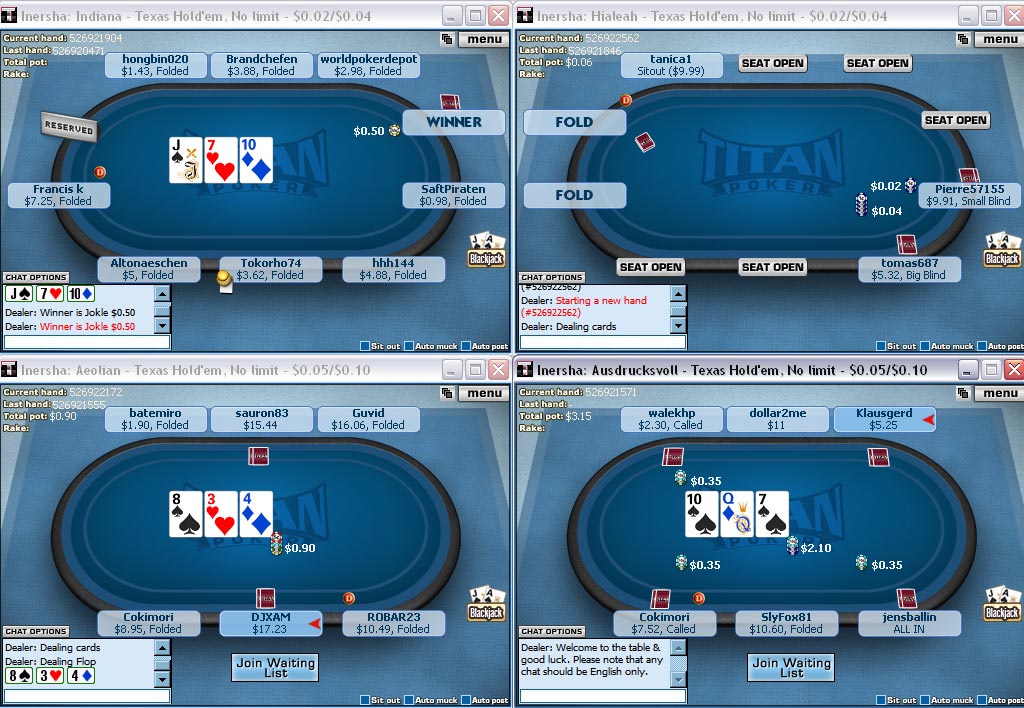 Many online players enjoy playing on multiple tables at the same time to maximize their profits. Thankfully, Titan allows you to play up to 6 tables simultaneously if you are able to.
The mini-view is incredibly useful when multi-tabling, as it allows you to comfortably fit 4 tables on one 1024x768 screen with no overlap. Each table will also snap perfectly into place when opened, so you will not have to fiddle with them to get them into exact order.
Hand History - 3/5
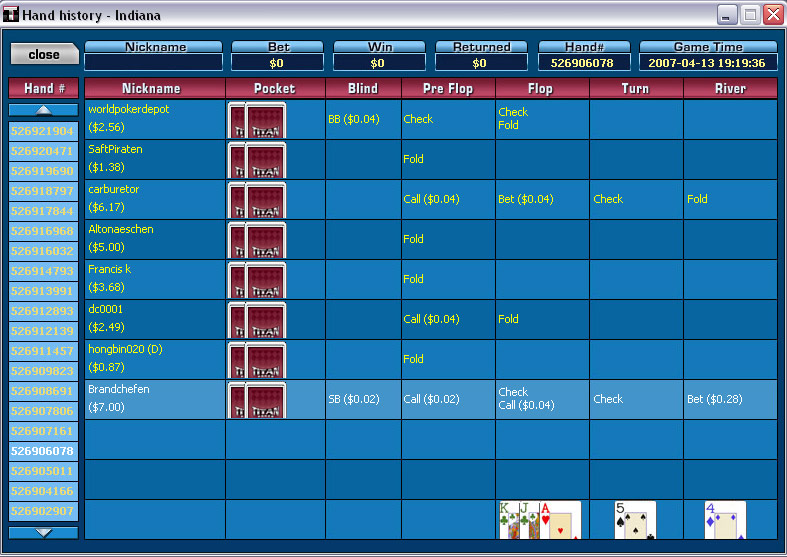 The Titan software allows you to bring up detailed hand histories from the moment you sat down at the table. The pop-up window tells you who was in the hand and what action they made at each point of the hand. You are also able to see how much you won or lost on each particular hand.
This feature can be used to analyze your opponent's plays, to try and spot patterns that will help you in future decisions. Most online poker rooms offers players the ability to request hand histories from past sessions, although they will not usually be displayed as clearly as on the Titan software.
View Hand Strength - 3/5
 When activated, this feature will tell you the value of your hand above where the board is dealt. The rank displayed will change after each new card is dealt depending on whether or not it made a difference to the value of your hand.
This feature is useful if you are new to the game and are unsure of how to make the best 5-card hand. It can also be handy for the veterans, to help prevent you from misreading your hand.
Go back to the archives.